The Hidden Cost of Air-Gap AI: Who Pays When the Model Ages
Air-gap AI deployment is cheap to buy and expensive to keep fresh. The asymmetry between vendor-absorbed and customer-absorbed model refresh cost — with concrete numbers from on-prem Slack channels.
The Hidden Cost of Air-Gap AI: Who Pays When the Model Ages
When a regulated enterprise decides "we need our AI on-prem, air-gapped, fully under our network boundary," the TCO spreadsheet usually compares two columns: server + license + implementation versus the SaaS subscription. Most buyers end up with a number that looks rational on paper and a signature that feels secure.
The spreadsheet is missing a line item: who pays when the model ages.
In a SaaS AI product, the answer is the vendor. In an air-gap deployment, the answer is the customer's infrastructure team — and the cost is roughly an order of magnitude larger than most buyers estimate, because it's not a one-time migration cost but an indefinitely recurring one.
We've been running air-gap and SaaS-mode AI deployments side by side across a set of customers in finance, manufacturing, public sector, and healthcare. The internal evidence for what this actually costs — not theoretically, not vendor-theater — is specific and consistent. We're going to share it.
The two things that make a model "age"
A cloud AI user interacts with a frontier model that gets quietly upgraded behind the scenes. The upgrade path for the customer is: close tab, open tab, the new model is already there. No retraining. No server reboot. No integration work. The capability jump between, say, GPT-4 and the current Claude or Gemini tier is not an event in their lives.
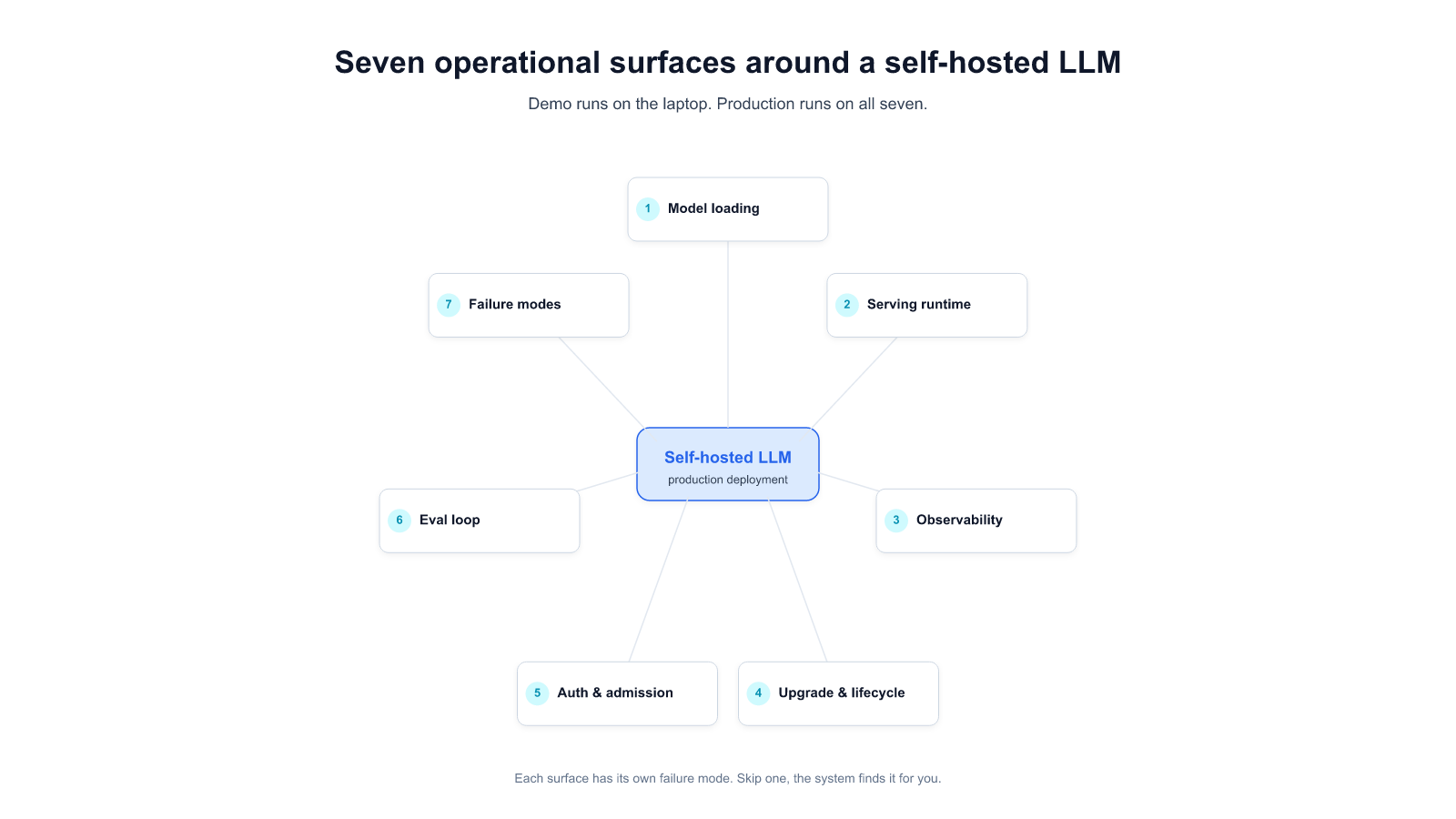
On-prem buyers are running the same frontier models — increasingly the same open-source weights, pulled from Hugging Face or equivalent — but their upgrade path is a project. There are two reasons:
1. The model itself ages functionally. A model trained eight months ago lacks capabilities a model trained two months ago has. This isn't marketing fluff. It's behavioral: newer models handle structured tool-use better, follow long instruction traces more reliably, make fewer hallucinations on domain-specific RAG, and understand more languages more fluently. The delta compounds quickly. A customer running last year's weights on an air-gapped cluster is doing 2025 work with 2024 capabilities — and their competitors on SaaS stack are not.
2. The infrastructure ages too. Switching from an older GPU generation (H100, H200) to a newer one (B200, GB200) is not a drop-in replacement for inference servers. The tensor parallelism behavior changes. The kernel paths are different. Parameters that were optimal on H200 silently underperform on B200 — sometimes by large multiples. Someone has to find the new optimal config, and it won't be the vendor of the underlying model. It'll be the team running the air-gapped cluster.
Neither of these appears in the TCO spreadsheet during procurement.
What "upgrade is a project" looks like in practice
Three illustrative incidents from recent enterprise deployments. We've anonymized which customer is which, because the pattern is what matters — and it's the same pattern in every industry.
Incident 1: A B200 upgrade that made things slower

A manufacturing customer with a large-scale on-prem deployment upgraded their inference GPUs from two H200s to four B200s. More VRAM, newer architecture, higher advertised throughput. On paper the upgrade should have been a clear win.
It wasn't. With default vLLM serving parameters, the B200-based cluster was measurably slower than the H200-based one it replaced. Not comparable-with-some-tradeoffs slower — actually slower on the same workload.
The underlying reason is architectural. B200 requires different serving parameters than H200 — different parallelism behavior, different memory-utilization targets, different kernel-level settings. The values optimal on H200 silently underperform on B200, sometimes by large multiples. At the time of the incident there was no canonical "default config for B200" — the right settings were model-dependent, workload-dependent, and had not been upstreamed into the inference-server defaults.
The customer's team spent several engineer-days finding and validating the correct combination, in a staging environment that had to mirror production tightly enough to prove out a regression-risk-laden change. After the tuning work, the cluster performed as expected. But the tuning cost was real — senior engineers, elapsed time, a secondary environment maintained solely to de-risk the upgrade.
Who would have absorbed this work in a SaaS deployment? The model vendor. Likely silently, in a rolling update. Customer experience: none. Customer engineering hours: zero.
Incident 2: A point-version parser upgrade that broke an enterprise workload

Another customer was running a PDF ingestion pipeline in production, parsing financial reports and quarterly filings — documents dense with charts and tables. The pipeline used the open-source MinerU parser, version 2.7.x.
The team upgraded to a new minor release of the parser. The upgrade broke the pipeline. Documents that had parsed successfully for months began failing silently — the parser's new release had introduced a previously-undefined content type, and the downstream schema, built against the prior version's type set, rejected anything containing the new type. Any PDF with a chart — the staple of financial reporting — dropped out of indexing.
The failure surfaced only under production traffic. Financial reports disappeared from the corpus. Users began to see "no documents found" for materials that had been searchable the prior week.
The fix was tractable once diagnosed — roughly a morning's engineering work to extend the schema — and was applied across master and the customer's on-prem fork. Total time from discovery to hot-patch: under a working day.
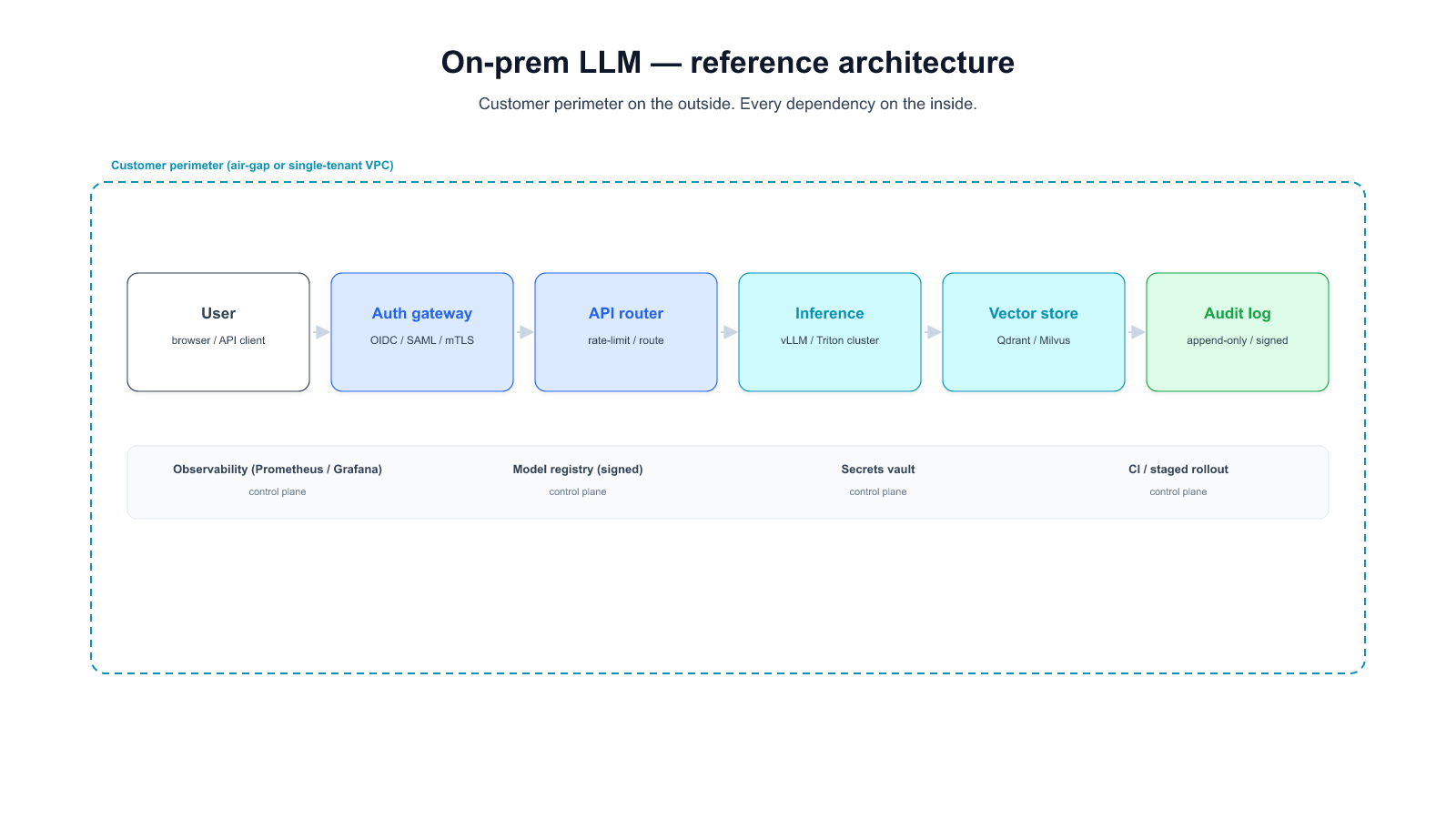
But the broader lesson is not "this particular parser had a minor incompatibility." It's that in an air-gapped environment every upstream upgrade is a breaking change until proven otherwise, and the cost of proving it is yours. SaaS AI customers don't own this risk. On-prem customers own it for every dependency in the stack.
Incident 3: The large-model upload problem

A third customer wanted to swap their current vision-language model for a significantly larger one — tens of gigabytes on disk after quantization. The team initiated the upload to the air-gap cluster's internal model registry, and the upload failed silently. The registry's default configuration — sized for typical object storage — didn't handle the scale of a contemporary open-weights model artifact. Reconfiguring the registry to accept the larger model, validating it, and completing the upload took roughly a working day of experienced infrastructure engineering.
The straightforward resolution is the point: large-model upload in an air-gap environment is a systems engineering problem, not a download. Every model swap is a miniature version of this. Every upgrade cycle pays this cost.
The SaaS equivalent: none. The vendor serves the new model from their side. The customer doesn't know they've been upgraded.
The asymmetry, in numbers we have
None of these incidents made the news. None of them caused an outage visible to end users of the customer's product. They were absorbed as normal operational work by competent teams, and after each one, the cluster went back to performing well.
But they show up in the cost structure. From our own internal Slack channels — 19 customer-facing on-prem deployment channels, scanned for mentions of model, version, upgrade, performance, benchmark, vllm, qwen, claude, gpt and similar terms across 180 days:
The asymmetry is not a curiosity. It's the single biggest line item missing from an air-gap TCO calculation, and it recurs every single upgrade cycle. At current rates of model generational improvement, that's roughly quarterly for the base model and monthly or faster for the surrounding stack.
So when is air-gap actually the right answer?
It clearly is the right answer for some enterprises. The question is for which ones.
A rough decision framework:
1.
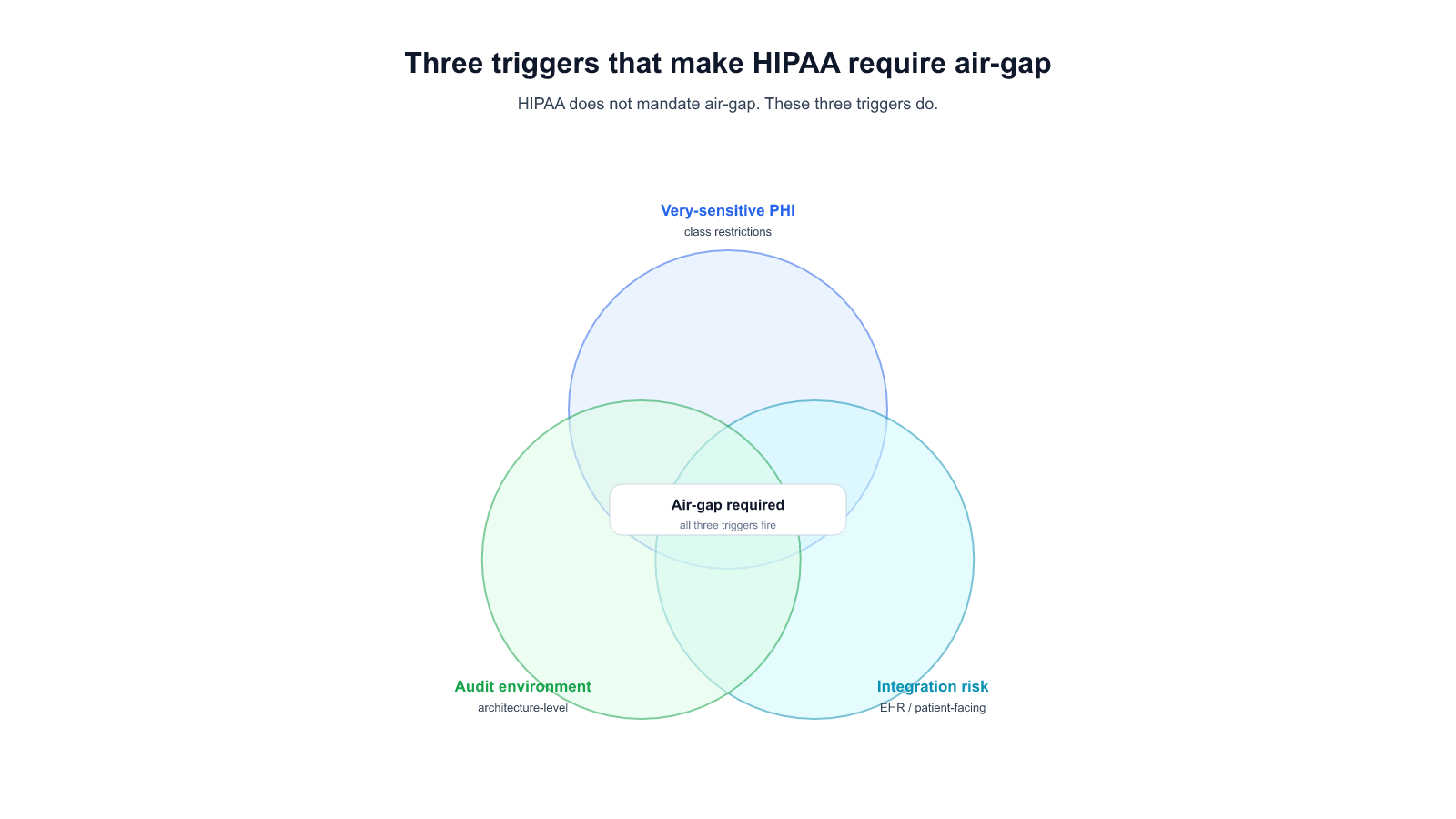
Classified government data. Some healthcare PHI under strict interpretation. Banking data in jurisdictions that expressly forbid even encrypted egress. These are well-defined legal situations and the analysis stops here: air-gap, and pay the model-refresh tax, because the SaaS option isn't available at any price.
2.
a specific risk materialized. If the audit says "no external network connection from the AI system," SaaS is disqualified regardless of the vendor's SOC 2, ISO 27001, or penetration test records.
3.
1.
Many regulated industries have evolved toward this posture. GDPR with SCCs, HIPAA-covered cloud BAAs, PCI-DSS in cloud environments — all of these allow specific, auditable egress. If your specific regulation permits it, the air-gap choice is a preference, not a requirement, and it costs more than the preference is worth.
2.
Air-gap moves a non-trivial amount of vendor work onto your infrastructure team. If that team is the constraint on your company's ability to ship any new software system, adding a recurring model-maintenance workload is a strategic mistake. You'll ship fewer things, not safer things.
3.
There's a category that's harder: enterprises who have assumed they need air-gap because their peers do, but whose actual compliance requirement is satisfied by hybrid deployment with encrypted egress and auditable boundaries. We think this category is large — possibly the majority of regulated enterprises currently evaluating on-prem AI. The right test is not "do other banks run air-gap" but "show me the regulation that specifically requires zero egress for this workload." If that regulation exists, proceed to air-gap and pay the model tax knowingly. If it doesn't, hybrid is almost certainly cheaper over a three-year horizon.
What to ask your AI vendor, specifically
If you're evaluating on-prem AI platforms and you want to stress-test the TCO, here are questions to ask. They're not marketing questions. They're operational questions.
The one-sentence version
Air-gap AI deployment is cheap to buy and expensive to keep fresh. Buyers who don't know that upfront will learn it on their own infrastructure team's throughput metrics, typically after the fourth upgrade cycle. Buyers who do know it can size their infra team, negotiate their vendor's refresh obligations, or pick hybrid — and all three are reasonable outcomes. What's not reasonable is absorbing the cost by accident.
If your compliance mandate makes air-gap the only legal path for a specific workload, this post isn't trying to talk you out of it. But if your compliance mandate allows a hybrid architecture and you're choosing air-gap on instinct — because it feels more secure, because your peers did it, because the discovery call sold it well — you should price the model tax before you commit. Ask for the vendor's refresh cadence in writing. Ask for their upgrade-breakage incident record. Ask how many current customers are running weights that are more than two quarters old.
The answers will tell you whether the TCO you were shown was complete.
If you're evaluating air-gap vs hybrid AI deployment for a specific workload and want to walk through the math for your environment, our team will do that with you — no pitch deck, no slides, just the numbers.
Start a conversation — tell us about your deployment model, compliance constraints, and timeline. We'll come back with a specific take, not a generic follow-up.
Start a 14-day trial — run Alli Coworker against your own documents and workflows before you commit. Air-gap or not, you'll see the behavior on your actual data.